While developing the artwork Adaptive Generative Output Performance 2024, I created a web app as an initial prototype to run real-time object detection with YOLOv8 in the browser. Here is a summary of the technical details from that process.
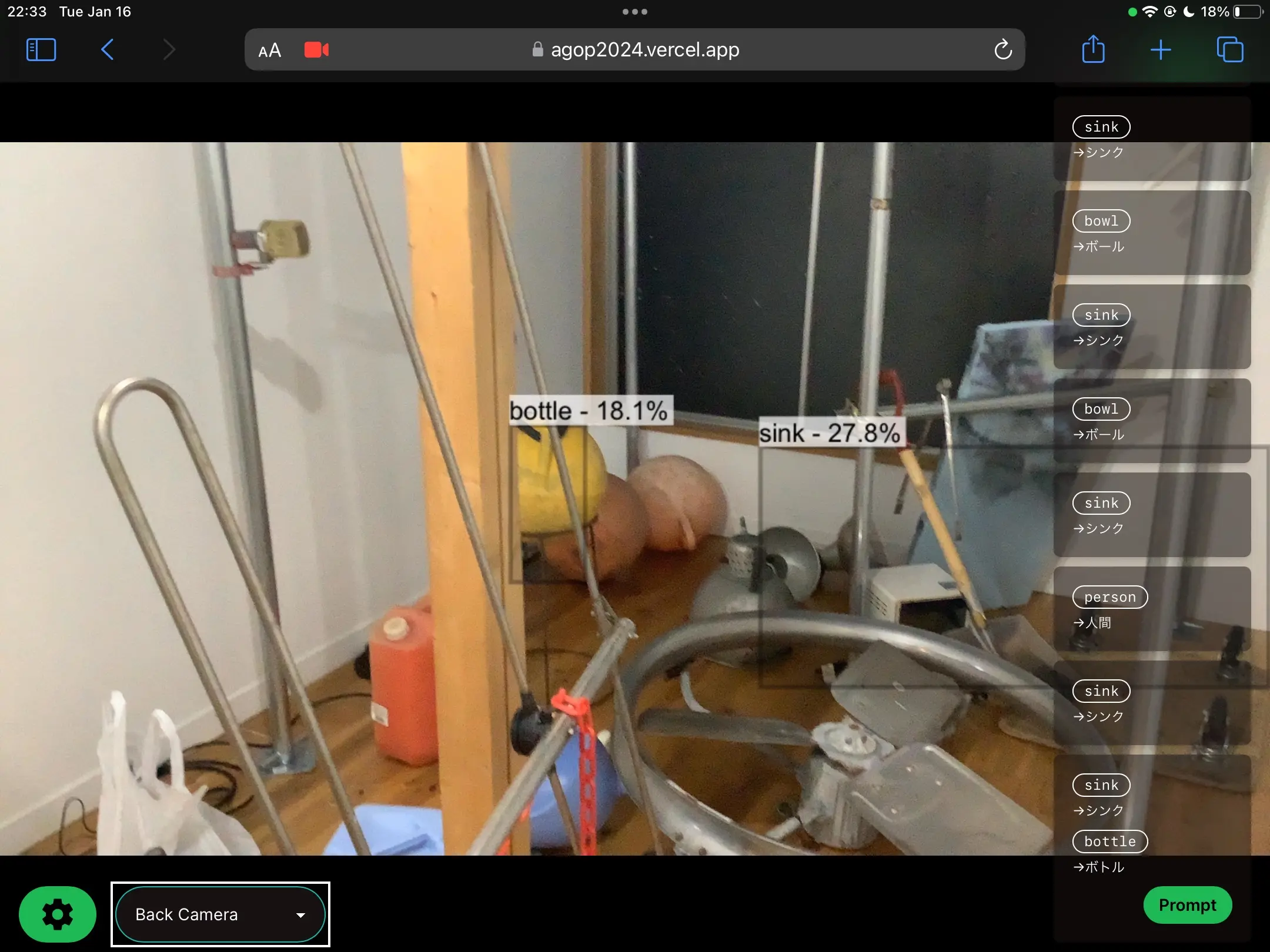
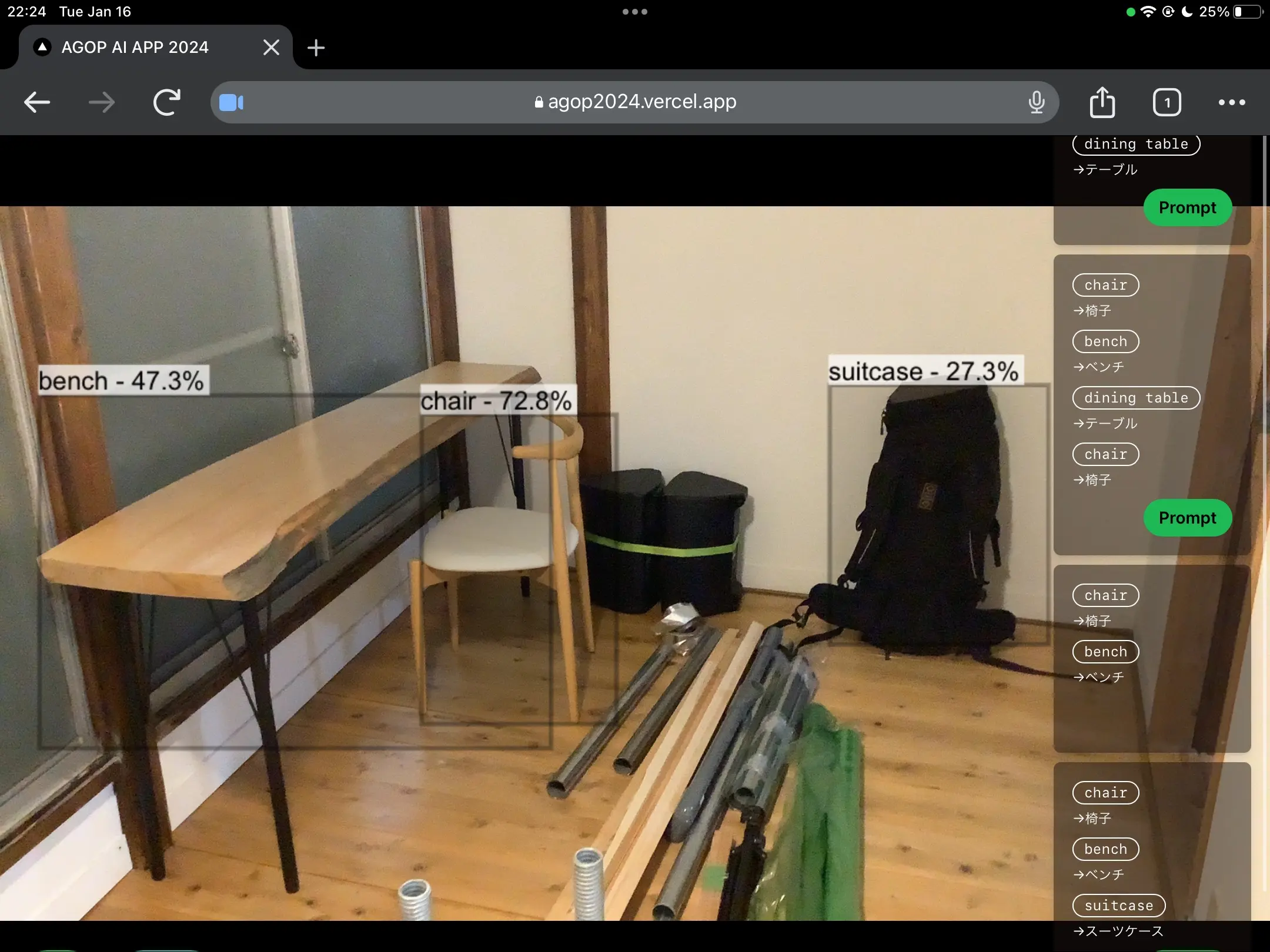
Why Run in the Browser?
To continuously provide the app to performers remotely, a web app that requires no installation and can be used just by opening a URL was the best choice.
- Native apps make distributing builds and managing versions complicated.
- With a web app, updating the server side instantly reflects changes for all performers.
- Camera access can be handled using the browser's MediaDevices API.
I wanted the object detection model inference to be completed on the client side without any requests to the server. This was to avoid latency issues and the risk of network instability in a performance environment. That's why I focused on in-browser inference using WebAssembly (WASM).
Tech Stack
| Component | Technology |
|---|---|
| Framework | React + TypeScript |
| Model | YOLOv8n (Ultralytics) |
| Model Format | ONNX |
| Inference Engine | onnxruntime-web |
| Backend | WebAssembly (wasm) |
Exporting the YOLOv8 Model to ONNX Format
You can export it with a one-liner using the Ultralytics Python package.
1from ultralytics import YOLO
2
3model = YOLO("yolov8n.pt")
4model.export(format="onnx", imgsz=640, opset=12)
5# => yolov8n.onnx is generated
I specified opset=12 to match the operator set supported by onnxruntime-web. Place the generated yolov8n.onnx directly into the public/ directory of your project.
Loading and Inferring the ONNX Model with onnxruntime-web
onnxruntime-web is a JavaScript/WebAssembly implementation of ONNX Runtime provided by Microsoft. By specifying wasm as the backend, inference runs in WebAssembly within the browser.
1npm install onnxruntime-web
1import * as ort from "onnxruntime-web";
2
3// Explicitly specify the WASM backend
4ort.env.wasm.wasmPaths = "/ort-wasm/";
5
6const session = await ort.InferenceSession.create("/yolov8n.onnx", {
7  executionProviders: ["wasm"],
8});
For wasmPaths, set the path to serve the .wasm files under node_modules/onnxruntime-web/dist/ as static files.
Inputting Camera Video to the Model
Get the camera video using getUserMedia and extract frames from the <video> element via a <canvas>.
1const stream = await navigator.mediaDevices.getUserMedia({ video: true });
2videoRef.current!.srcObject = stream;
Preprocess the frame (resize, normalize, NCHW conversion) and create a Float32Array tensor.
1const preprocess = (
2  canvas: HTMLCanvasElement,
3  modelWidth: number,
4  modelHeight: number,
5): [ort.Tensor, number, number] => {
6  const ctx = canvas.getContext("2d")!;
7  const imageData = ctx.getImageData(0, 0, canvas.width, canvas.height);
8  const { data, width, height } = imageData;
9
10  const input = new Float32Array(modelWidth * modelHeight * 3);
11  const xRatio = width / modelWidth;
12  const yRatio = height / modelHeight;
13
14  for (let y = 0; y < modelHeight; y++) {
15    for (let x = 0; x < modelWidth; x++) {
16      const srcX = Math.floor(x * xRatio);
17      const srcY = Math.floor(y * yRatio);
18      const srcIdx = (srcY * width + srcX) * 4;
19      // Convert to NCHW format (separate R, G, B channels)
20      input[y * modelWidth + x] = data[srcIdx] / 255.0; // R
21      input[modelWidth * modelHeight + y * modelWidth + x] =
22        data[srcIdx + 1] / 255.0; // G
23      input[2 * modelWidth * modelHeight + y * modelWidth + x] =
24        data[srcIdx + 2] / 255.0; // B
25    }
26  }
27
28  const tensor = new ort.Tensor("float32", input, [
29    1,
30    3,
31    modelHeight,
32    modelWidth,
33  ]);
34  return [tensor, xRatio, yRatio];
35};
Inference and Post-processing
The inference result is output as a tensor with the shape [1, 84, 8400] (for YOLOv8, 84 = 4 coordinates + 80 classes). Apply Non-Maximum Suppression (NMS) to get the final detection results.
1const runInference = async (
2  session: ort.InferenceSession,
3  tensor: ort.Tensor,
4) => {
5  const feeds = { images: tensor };
6  const results = await session.run(feeds);
7  const output = results[session.outputNames[0]].data as Float32Array;
8
9  // output shape: [1, 84, 8400]
10  const [boxes, scores, classIds] = postprocess(output, xRatio, yRatio);
11  return { boxes, scores, classIds };
12};
In post-processing, filter by confidence score and apply NMS. Draw the final results as bounding boxes on the <canvas>.
Inference Speed
On Chrome on an M1 MacBook Pro, inference took about 30ms/frame (YOLOv8n, 640x640 input). Depending on the performer's machine specs, this is a sufficiently practical speed for real-time use.
Switching to the WebGL backend (executionProviders: ["webgl"]) might speed it up further, but I chose WASM this time due to model operator compatibility issues.
Summary
- Exported YOLOv8 in ONNX format and achieved in-browser inference using the WASM backend of onnxruntime-web.
- Making it a web app that runs just by opening a URL made it easy to continuously provide the app to performers.
- Client-side inference without server communication allows it to operate with low latency and even in offline environments.

