Creating Composite Performance Videos in Small Rooms with Meta's SAM2 (Segment Anything Model 2)
Japanese houses are small. But I want to play multiple instruments and make an ensemble video. So, I created a system to segment a person using SAM2 and Ultralytics, and composite multiple performance videos.
Background: Wanting to Make an Ensemble Video in a Small Room
Living in Japan, rooms are inevitably small. There's almost no space to line up multiple instruments. On the other hand, I play multiple instruments — guitar, bass, drums, keyboards, and more — and I always run into this problem.
Even if I want to make a "solo ensemble video" or "loop performance video" often seen on YouTube, I need to shoot each instrument in separate cuts and composite them. The traditional approach is to use a green screen (chroma key), but setting up a green screen in a small room is simply not practical.
Isn't there an easier way? That's what I thought — and I figured that using SAM2 (Segment Anything Model 2), which appeared in 2024, should let me cleanly cut out a person (and their instrument, which is actually the harder part) from normal indoor shooting without any green screen.
What is SAM2?
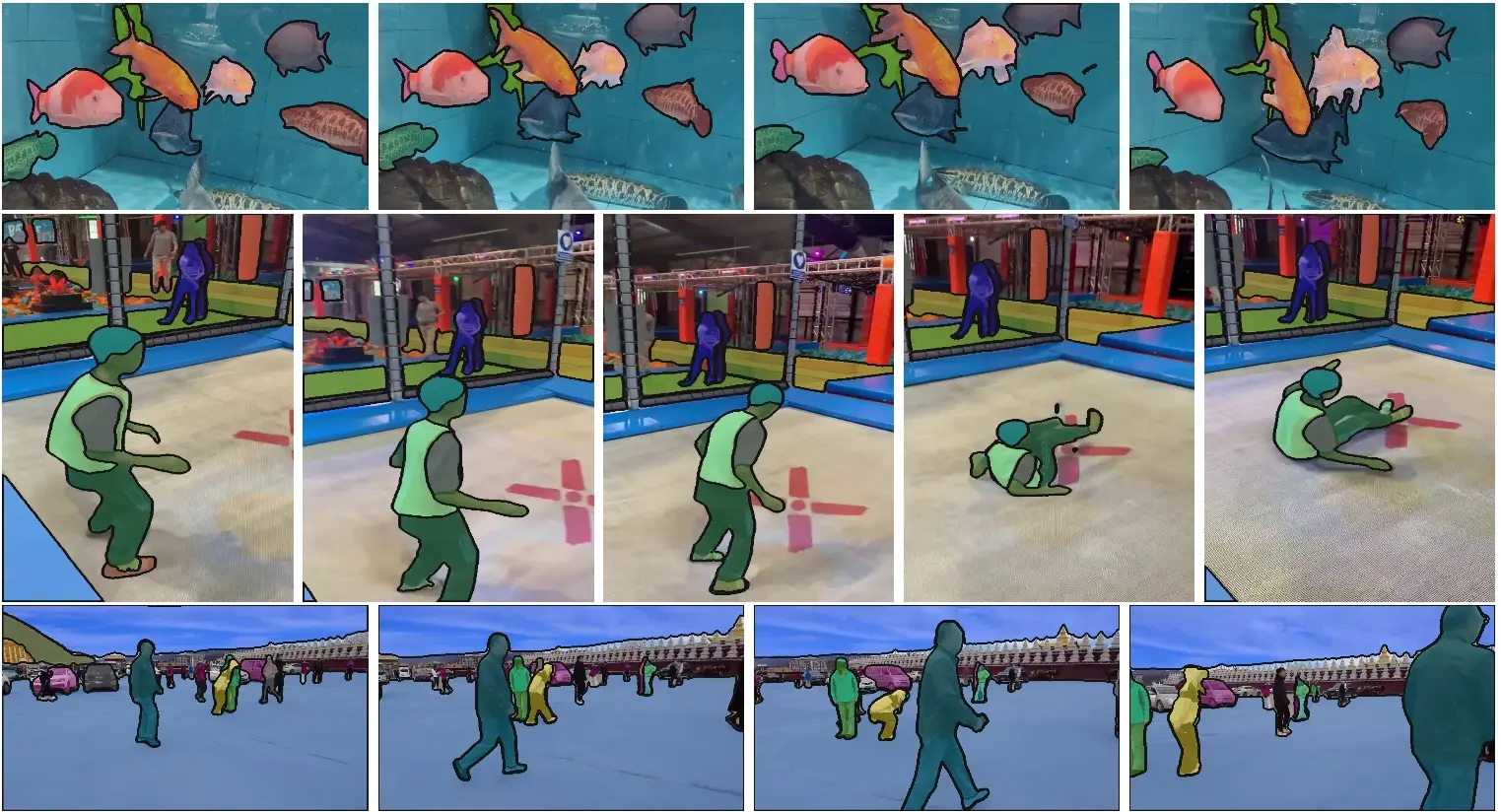
Segment Anything Model 2 (SAM2), released by Meta in 2024, is a model that can perform real-time segmentation not only on images but also on videos.
https://github.com/facebookresearch/sam2- Just by specifying the target in the first frame, it tracks it in subsequent frames and generates a mask.
- It also handles temporary occlusion of objects.
- Paper: SAM 2: Segment Anything in Images and Videos (Ravi et al., 2024)
Why Use Ultralytics?
There is a way to use Meta's official SAM2 API directly, but setting up dependencies is complicated, and the API is somewhat difficult to handle.
Therefore, I use Ultralytics. Ultralytics is a famous framework for the YOLO series, and in the latest version, you can handle YOLO and SAM with the same Python API.
1pip install ultralytics
1from ultralytics import SAM
2
3model = SAM("sam2_b.pt")  # Load SAM2 Base model
With just this, you can use SAM2. The model weights are automatically downloaded on the first run.
Processing Pipeline
The overall flow is as follows.
1Input video (performance video of each instrument)
2        ↓
3  Generate person mask frame by frame with SAM2
4        ↓
5  Cut out the person area using the mask → Export as RGBA video
6        ↓
7  Overlay and composite each part video on top of the background video (or image)
8        ↓
9  Completion of composite video
Segment Person with SAM2
1from ultralytics import SAM
2import cv2
3import numpy as np
4
5model = SAM("sam2_b.pt")
6
7# Track the person by specifying a click point in the first frame
8results = model.track(
9    source="guitar_take.mp4",
10    points=[[320, 240]],   # Click the person near the center of the screen
11    labels=[1],            # 1 = foreground
12    stream=True,
13)
14
15masks = []
16for r in results:
17    if r.masks is not None:
18        masks.append(r.masks.data[0].cpu().numpy())
19    else:
20        masks.append(None)
This retrieves the default masked image for each frame.
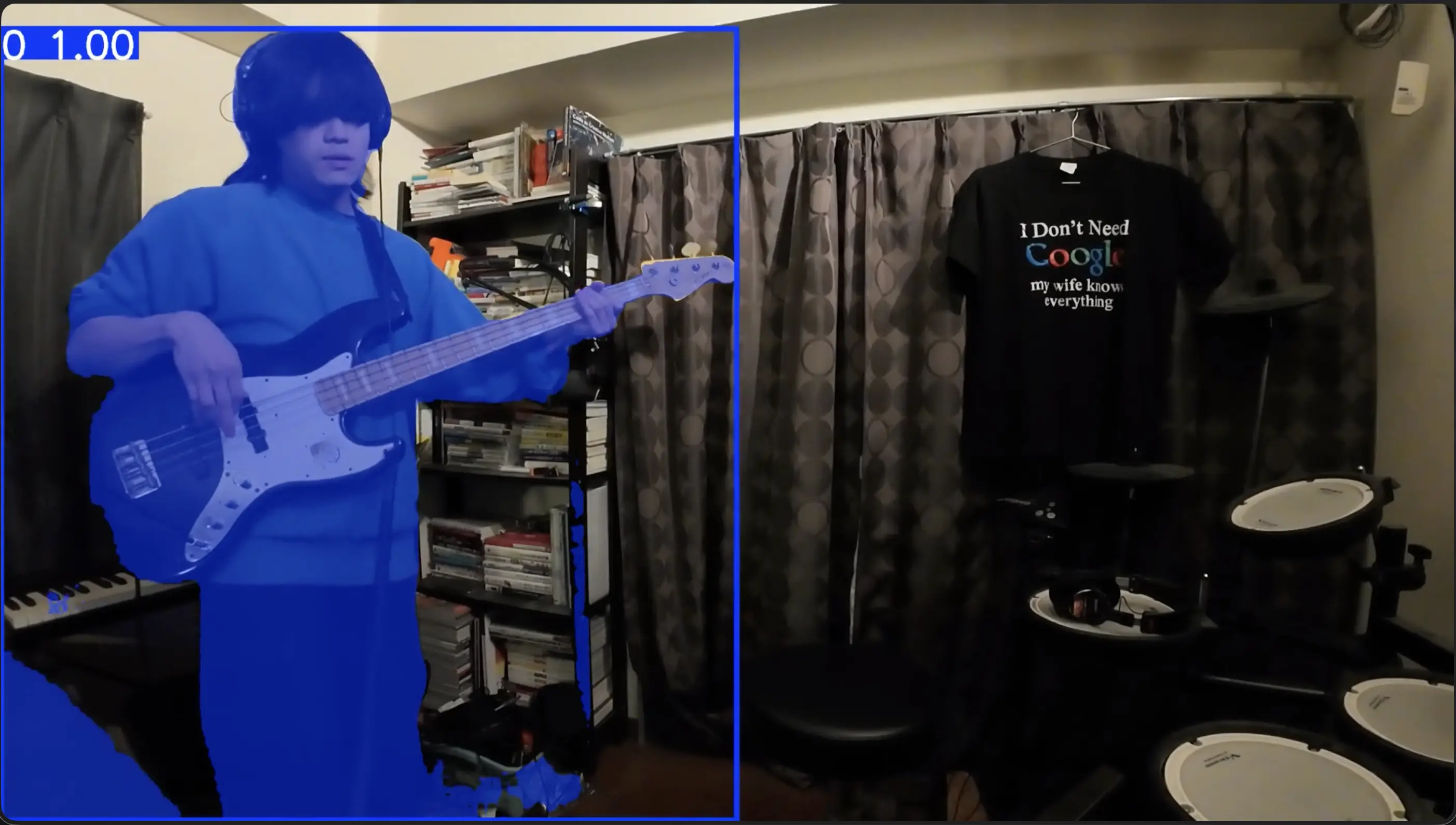
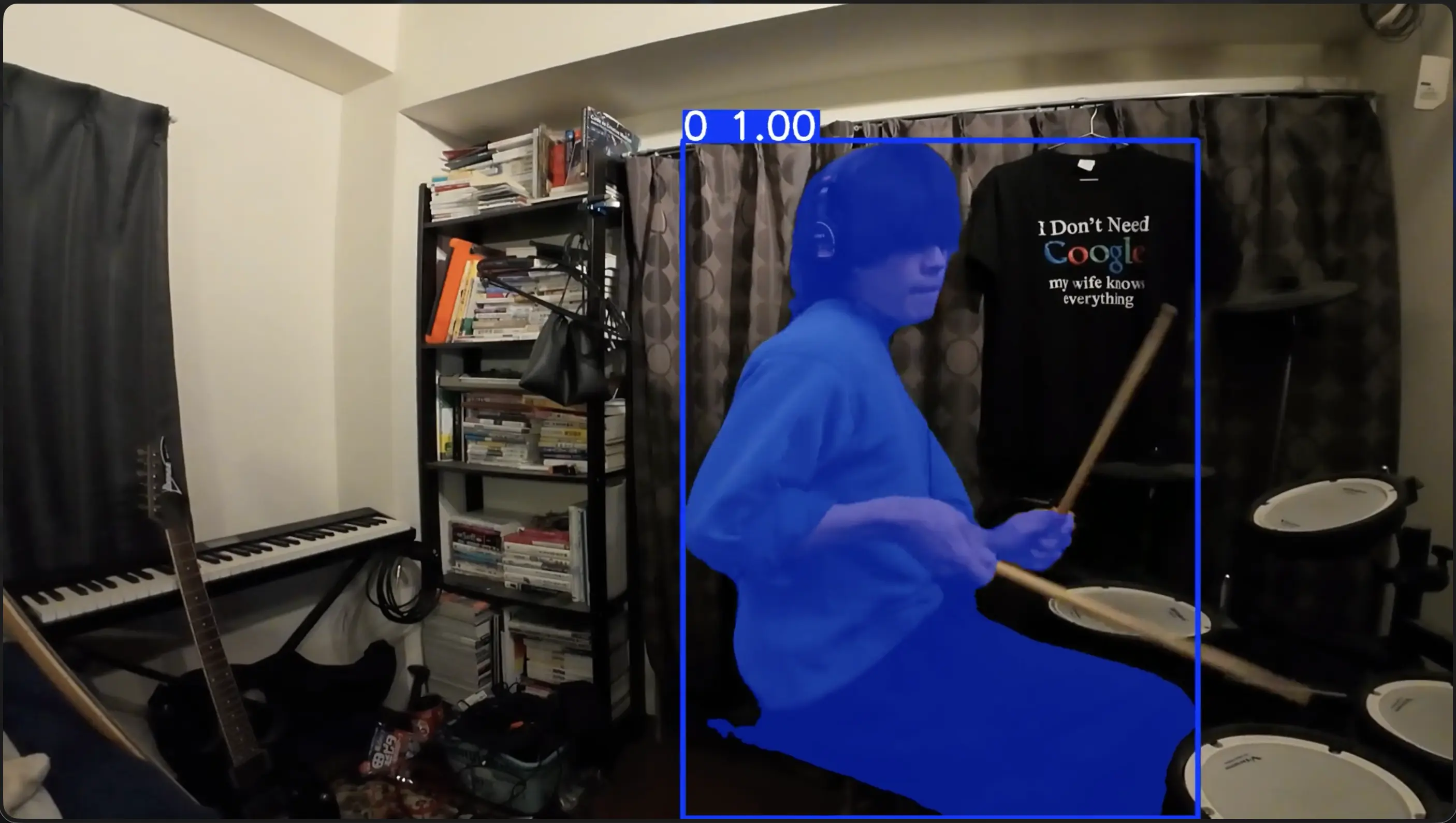
Generate RGBA Video Using Masks
1cap = cv2.VideoCapture("guitar_take.mp4")
2fourcc = cv2.VideoWriter_fourcc(*"mp4v")
3out = cv2.VideoWriter("guitar_masked.mp4", fourcc, 30, (width, height))
4
5for i, mask in enumerate(masks):
6    ret, frame = cap.read()
7    if not ret or mask is None:
8        break
9    alpha = (mask * 255).astype(np.uint8)
10    rgba = cv2.cvtColor(frame, cv2.COLOR_BGR2BGRA)
11    rgba[:, :, 3] = alpha
12    out.write(rgba)
This outputs a video file that concatenates each frame with the background cut out.
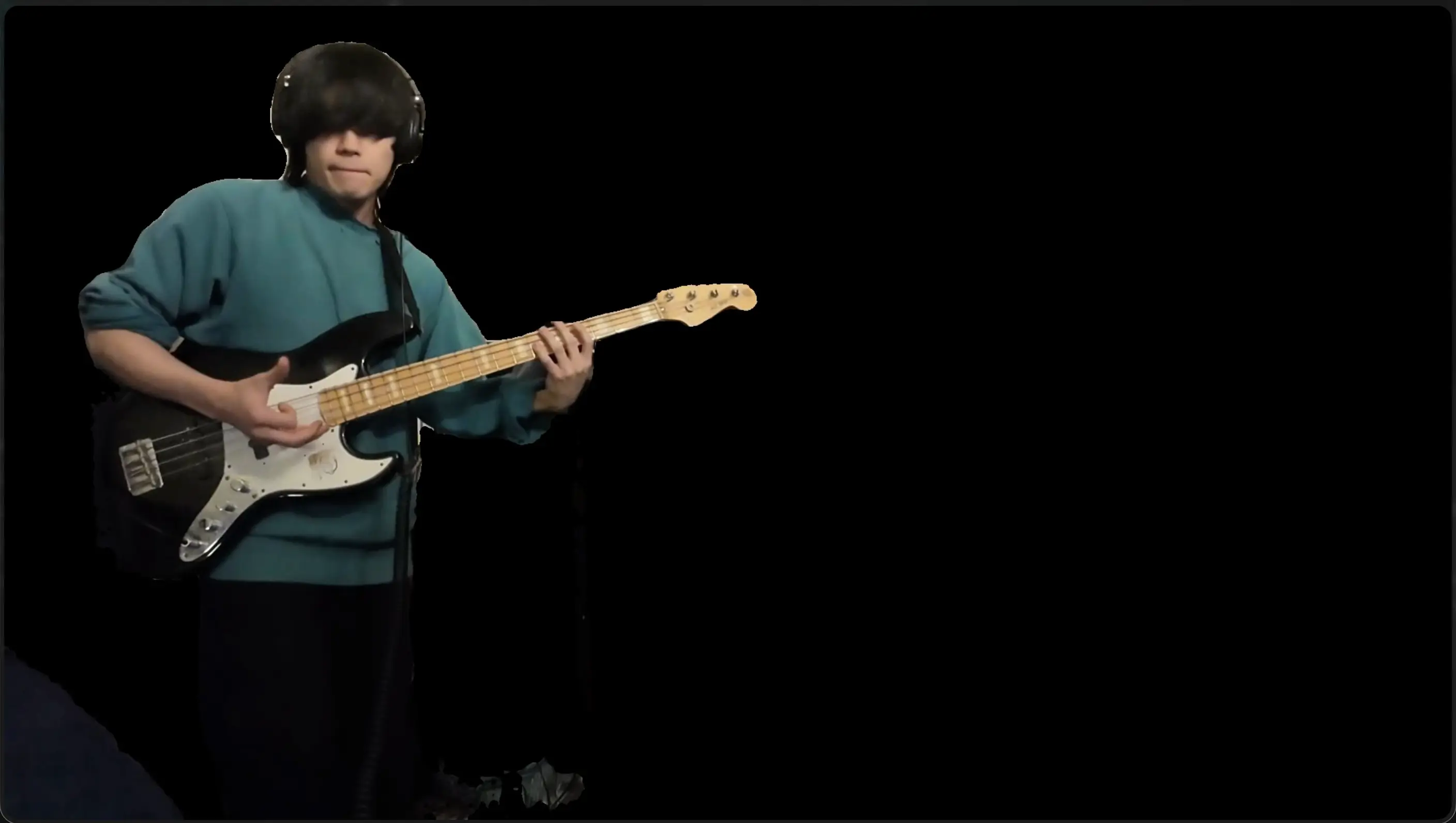
Composite on Background
1# Overlay each part on the background image with alpha blending
2def composite(bg, fg_rgba):
3    alpha = fg_rgba[:, :, 3:4] / 255.0
4    fg_rgb = fg_rgba[:, :, :3]
5    return (fg_rgb * alpha + bg * (1 - alpha)).astype(np.uint8)
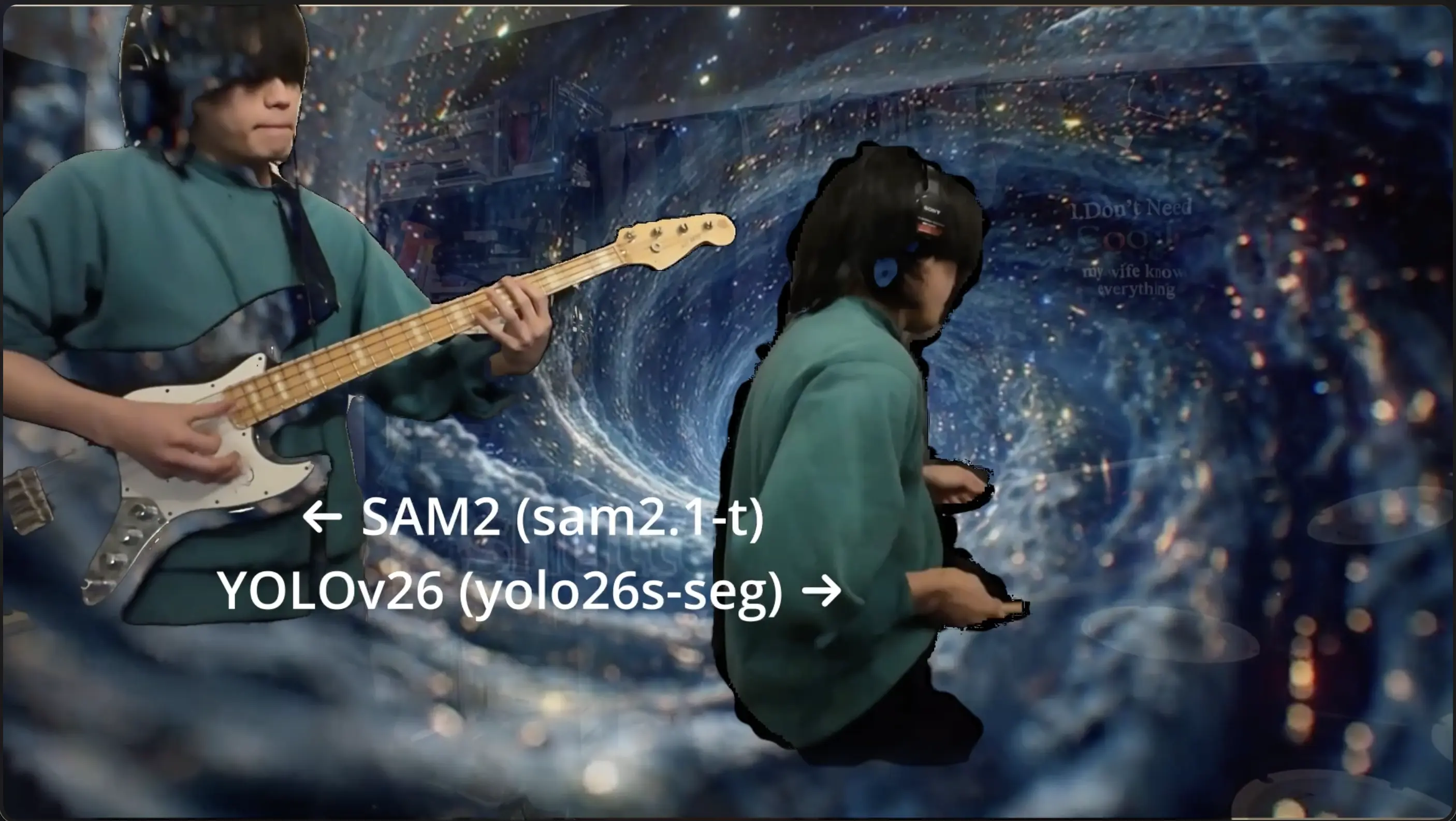
Here is a comparison of SAM2 and YOLOv11 after compositing onto the background.
Aside
GPU vs Apple Silicon Inference Speed
When comparing inference speed between Google Colab's T4 GPU and MacBook Pro M4 (Apple Silicon), there wasn't a huge difference.
| Environment | Inference Time per Frame (Approx.) |
|---|---|
| Google Colab (T4 GPU) | Approx. 30–50 ms |
| MacBook Pro M4 (MPS) | Approx. 40–60 ms |
Why is this? It's likely because Ultralytics has implemented many optimizations to speed up inference, such as model quantization, conversion to TensorRT / CoreML, and batch processing optimization. The Metal Performance Shaders (MPS) backend of Apple Silicon is also effectively utilized.
In reality, for this use case (short performance videos of tens of seconds to a few minutes), both environments provided sufficient throughput.
Summary
- With Ultralytics, you can load SAM2 in one line and use it without dependency troubles.
- You can combine person detection by YOLO and segmentation by SAM2 with the same API.
- The inference speeds of GPU (Colab T4) and Apple Silicon M4 are surprisingly close, and a practical pipeline can be built with just an M4 Mac.
- It has become possible to easily create composite performance videos from indoor shooting without a green screen.
Give it a try and composite your own performance videos at home.